
To edit or delete student data:
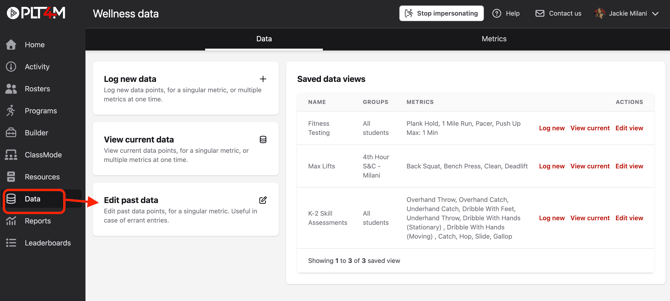
- Navigate to your Data tab
- Choose Edit past data
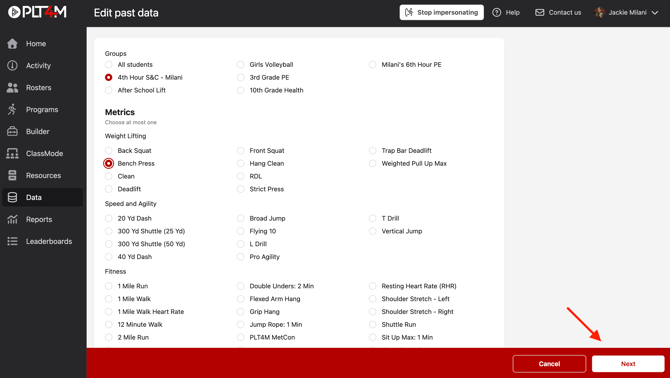
- Select the Group and Metric you plan to edit and click Next
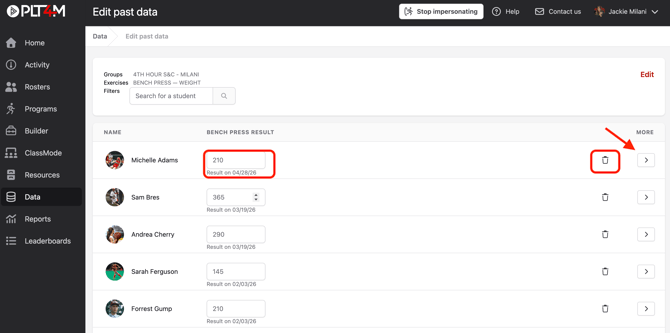
- Use the search bar or scroll to find students
- Use the arrow button to find historical data
- Edit an entry by overriding the result in the box
- Delete an entry by selecting the trashcan icon
- Changes will be automatically saved
Watch a video tutorial: