
💡 When building sets, you can use percentages to prescribe personalized loading or create blank sets that allow students to enter training data. This article explains how to build blank sets.
To build loggable sets:
- Navigate to your Builder tab and select or create a program
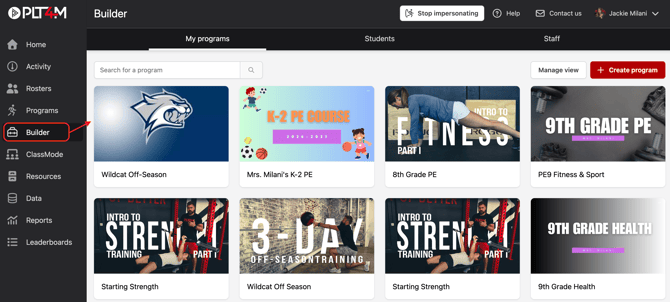
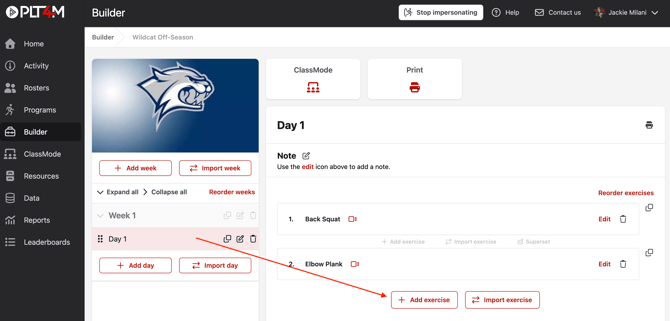
- Select the week and day where you want to start building
- Click Add exercise
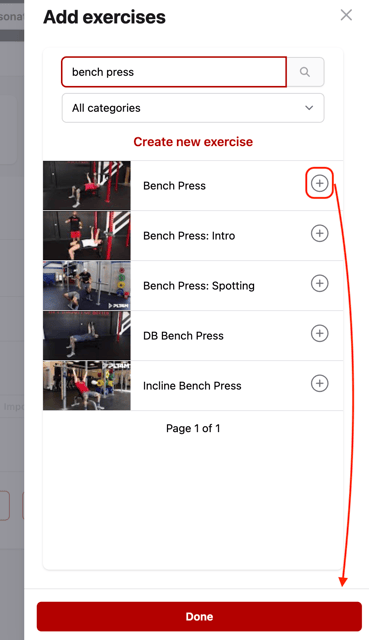
- Search and select an exercise. You may add multiple exercises at once by clicking the (+) symbol.
- Click Done
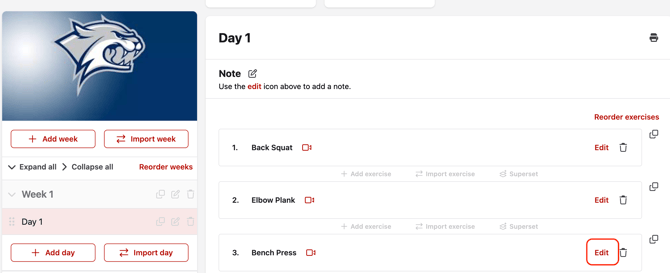
- Choose Edit on the exercise
- Choose Add set to build your sets
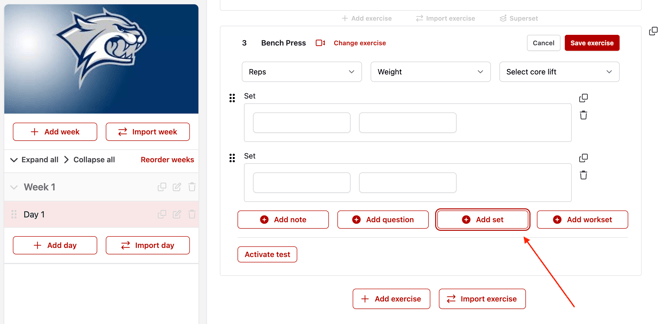
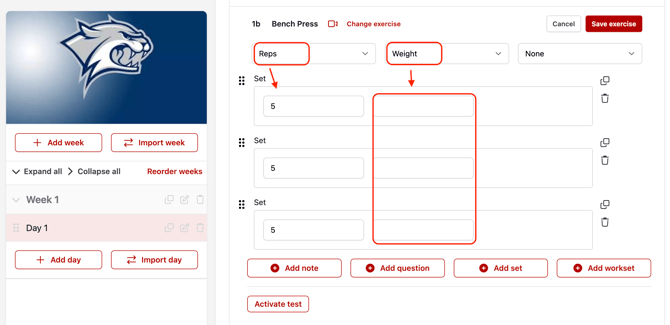
- Select the appropriate column headers for your set (Reps, Weight, Time, Tempo, Distance, or Note)
- You must fill in one column (i.e. Reps). Students will be able to log data for the column that is left blank.
Please Note:
When students record training data, it will save as an entry in their workout history. Students may reference exercise notes by selecting the History button associated with the exercise (within a workout).
This help article demonstrates what this looks like for students.