
To export student data:
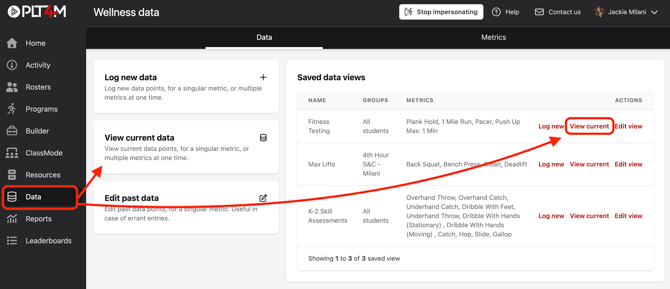
- Navigate to your Data tab
- Select View current data, or, select View current on one of your saved data views
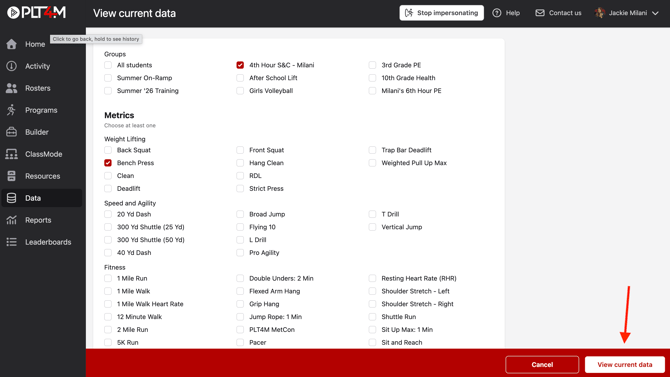
- If creating a new view, select your desired group(s) and metric(s) to include in your export
- Click View current data
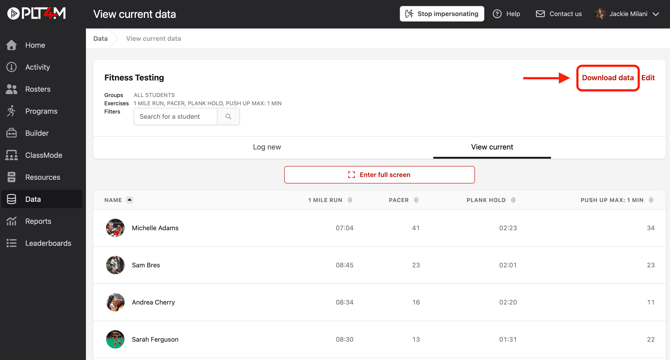
- Click Download data
-
-
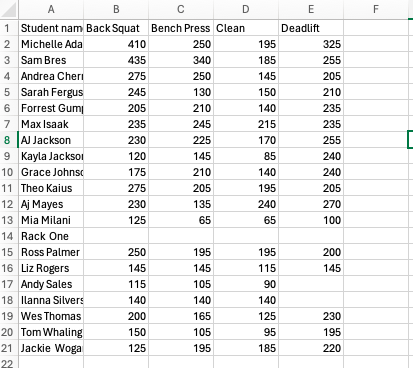
Your downloaded results will be available in a .csv file:
-