1. Help Center
  2. Student Experience

How to Reset a Program or Workout

If a student finishes a program and wants to restart it, or needs to re-do a day, they can use the Reset function.

To Reset a Program

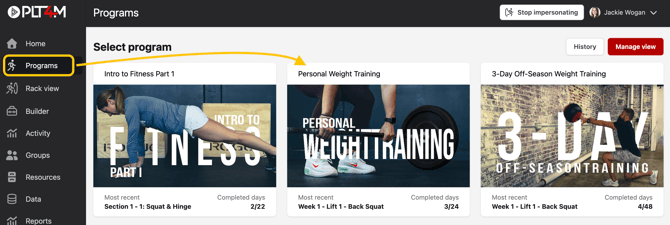
  • Have the student navigate to their Program tab to accessed their assigned workouts
  • There, they can choose the Program they'd like to reset

Screenshot 2025-04-24 at 10.22.15 AM

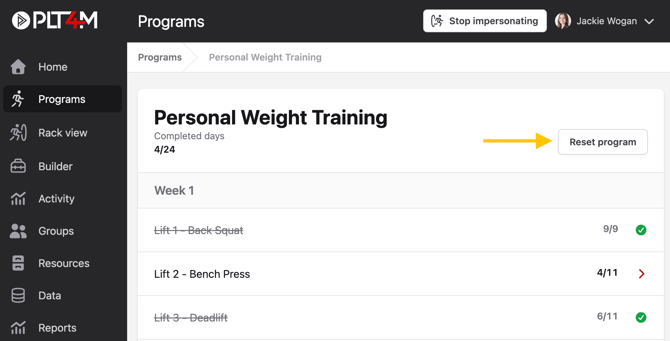
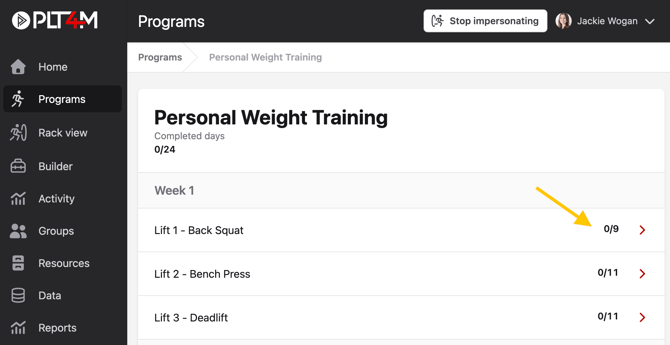
  • On the weekly menu, there is a Reset program option

Screenshot 2025-04-24 at 10.22.46 AM

Please Note: When a student resets a program or workout, their log history will not be erased. 

To Reset a Single Workout

  • Have the student navigate to their Program tab to accessed their assigned workouts

Screenshot 2025-04-24 at 10.25.53 AM

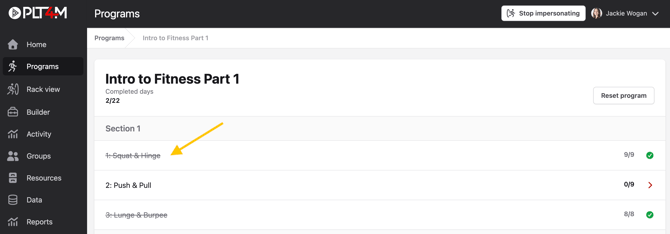
  • There, they can choose the Program and specific workout they'd like to reset

Screenshot 2025-04-24 at 10.26.10 AM

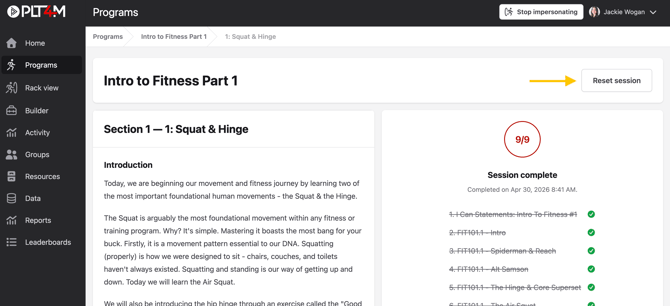
  • Students should select Reset workout in the upper right corner

Screenshot 2025-04-24 at 10.27.13 AM

Please Note: When a student resets a program or workout, their log history will not be erased.