![Artboard 1@72x.png]](https://knowledge.plt4m.com/hs-fs/hubfs/Artboard%201@72x.png?height=40&name=Artboard%201@72x.png)
To program with percentages:
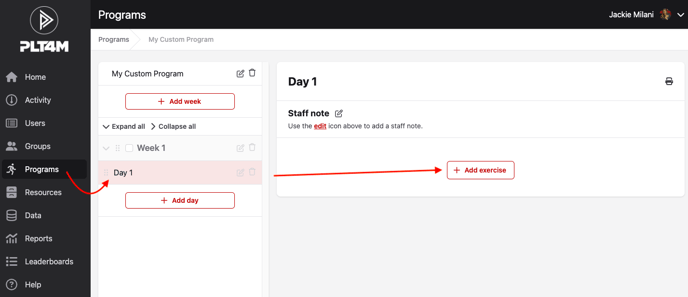
- Navigate to your Program tab
- Select your custom program, or create a new program
- Select the week and day where you want to start building
- Click Add exercise
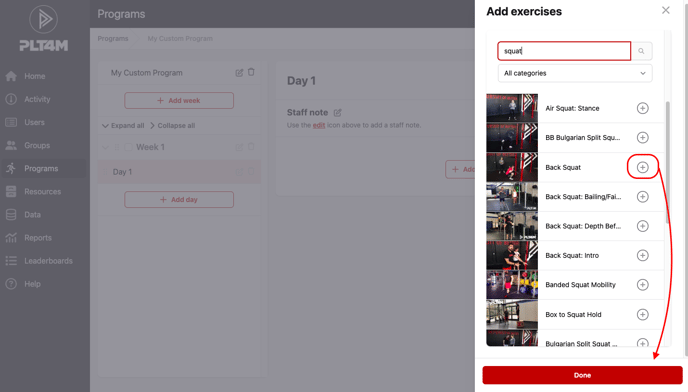
- Choose a weight based exercise from the exercise catalogue. You may add multiple exercises at once by clicking the (+) symbol
- Click Done
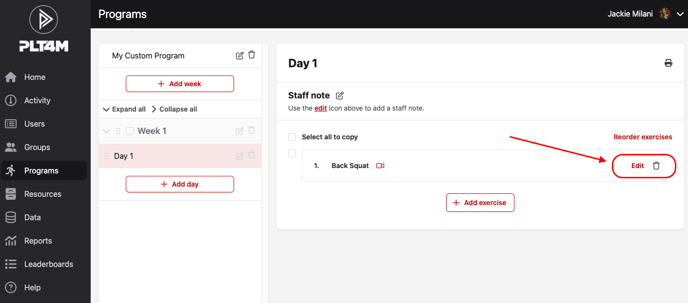
- Click edit to begin adding your prescription for the exercise
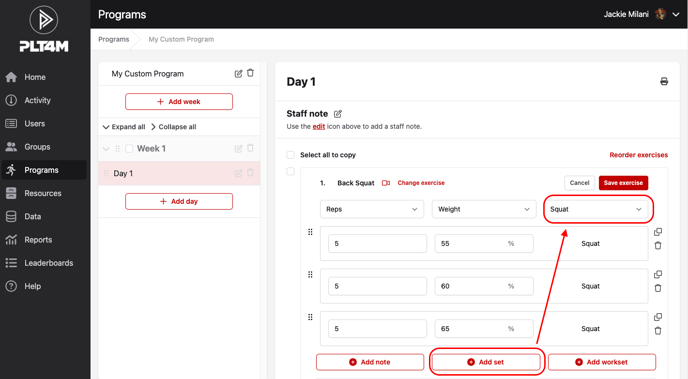
- Click Add set to begin adding sets
- Use the Select Core Lift drop down menu to link your sets to a core lift
Please note: the selected exercise and core lift do not have to match. For example, a dumbbell row could be linked to the core lift: Bench.
- Input your desired reps and percentages
- Click Save exercise
- Your saved exercise should look like this:
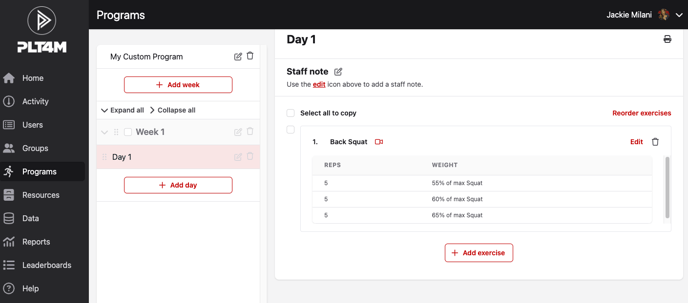
Please note: your students must have a result entered for the linked core lift in order to see their calculated weights.