![Artboard 1@72x.png]](https://knowledge.plt4m.com/hs-fs/hubfs/Artboard%201@72x.png?height=40&name=Artboard%201@72x.png)
To edit or delete student data:
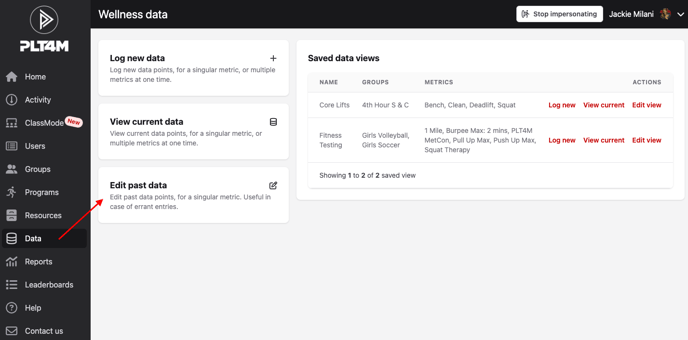
- Navigate to your Data tab
- Select Edit past data
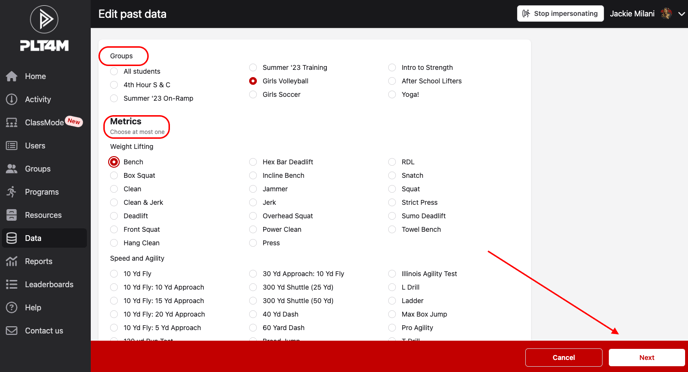
- Select the Group and Metric you plan to edit, click Next
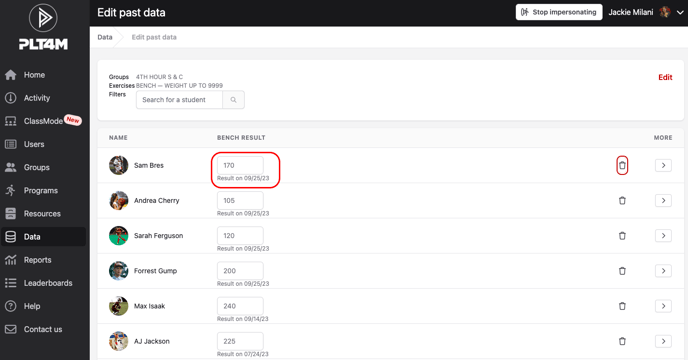
- This will display the most recently recorded result for each metric with the date it was recorded. Use the arrows to toggle through historical test results.
- To edit, simply type over the existing data. To delete, click the trashcan icon.
Watch a video tutorial: