![Artboard 1@72x.png]](https://knowledge.plt4m.com/hs-fs/hubfs/Artboard%201@72x.png?height=40&name=Artboard%201@72x.png)
To export student data:
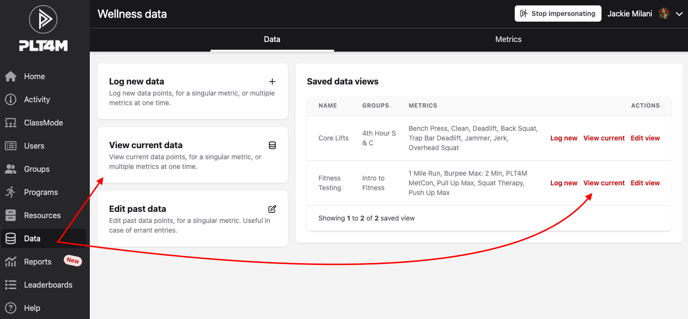
- Navigate to your Data tab
- Select View current data, or, select View current on one of your saved data views
- If creating a new view, select your desired group(s) and metric(s) to include in your export
- Click View current data
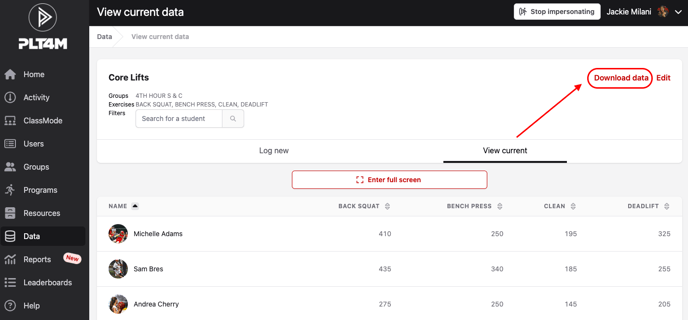
- In the upper right hand corner, select Download data
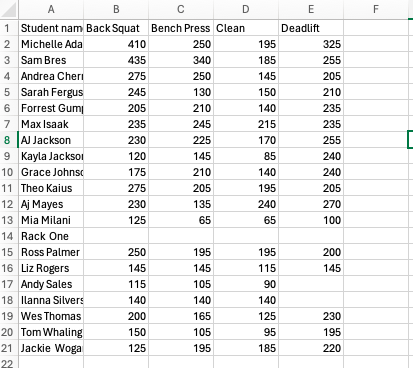
- Your downloaded results will be available in excel and will appear like this: